Social engineering attacks using ClickFix
Criminals are constantly looking for new ways to execute malicious code on their victims’ computers. Since late 2024, an attack technique dubbed ClickFix became popular for this purpose. In this scheme, victims are lured to a website via phishing e-mails and, under a false pretext, are instructed to follow a series of steps and press certain keys. If victims comply with this request, it leads to the execution of malware and system compromise. The distinctive characteristic of ClickFix attacks is that victims execute the malicious commands themselves, which is hard to detect for many security solutions.
Below is an example of a ClickFix website that was reported to us back in October of 2025:
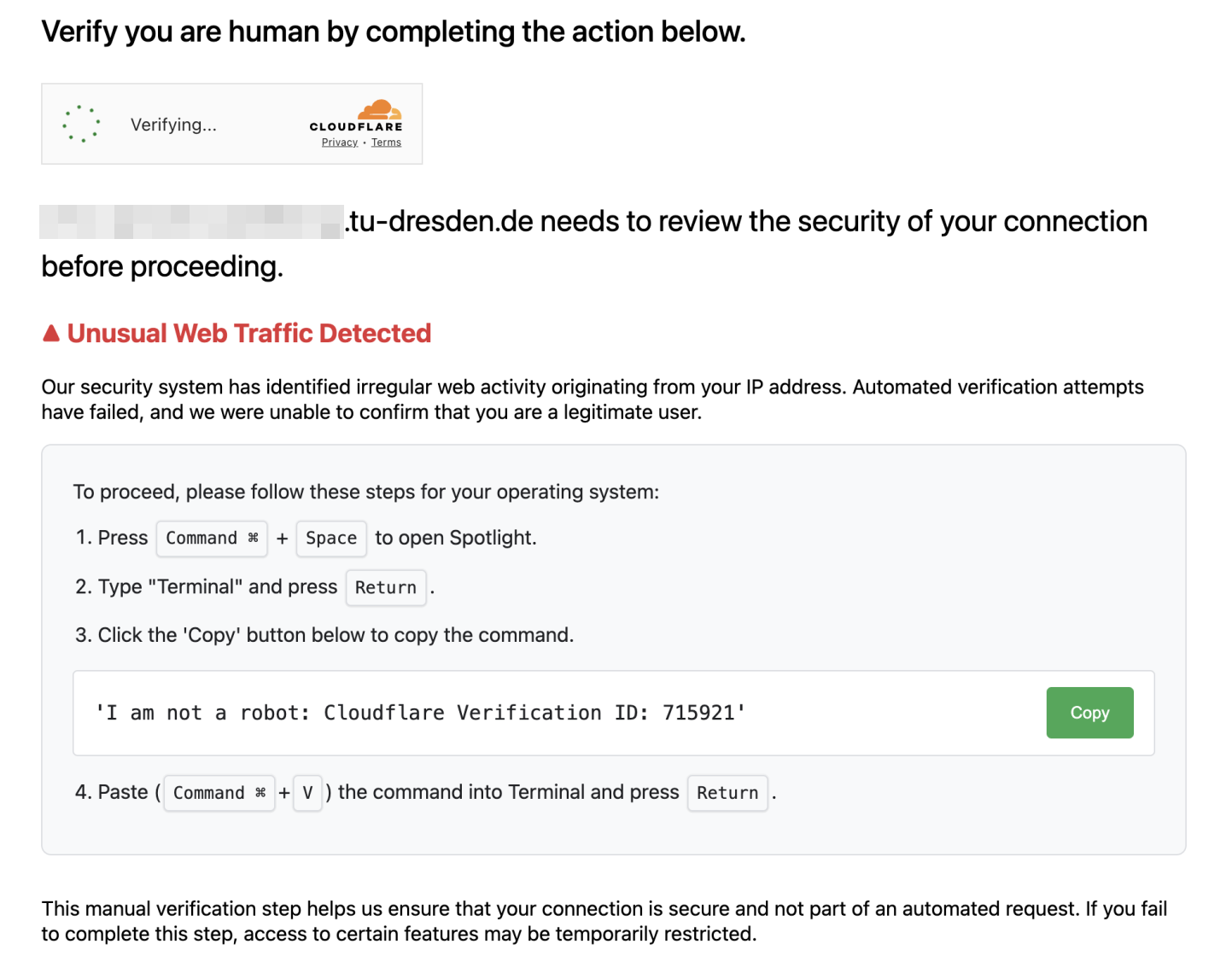
It combines multiple pretexts to encourage users to carry out dangerous actions:
- Verify you are human followed by a checkbox is a prompt that victims are used to from many legitimate websites.
- Unusual web traffic detected and Automatic verification attempts have failed are pretexts to persuade victims to complete the mentioned steps for “manual verification”.
The specific steps to be taken vary for each ClickFix variant and operating system. However, they all share the same underlying attach vector: The ClickFix website copies malicious code to the clipboard, and the steps users are prompted to perform are designed to execute that code. This typically leads to the download of and infection with additional malware, which then steals all login credentials found on the computer, grants criminals unauthorized access, or ultimately encrypts the system in the style of a ransomware attack to demand a ransom.
To detect ClickFix attacks, apart from the specific details mentioned here, our general recommendations for the prevention of phishing attacks still apply. If you have received a suspicious email or are unsure, please report it to TUD-CERT.
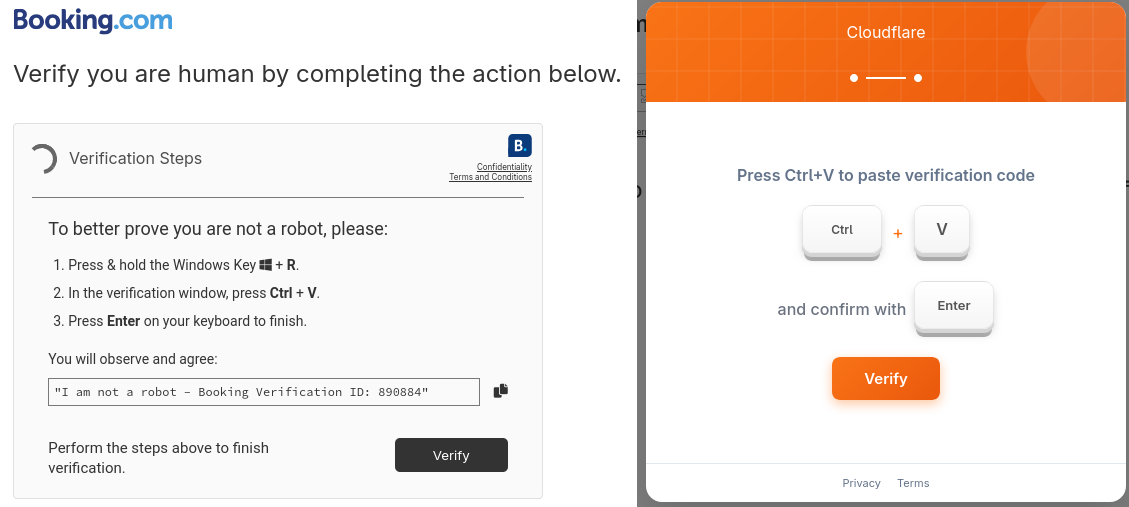
Here are a few more examples of ClickFix attacks seen in the real world.
Report
How to report phishing attacks to minimise the threat.
If an E-Mail that hasn’t already been automatically classified as spam/junk seems strange to you, please forward it to TUD-CERT. We evaluate them and initiate countermeasures if necessary. This way, we can reduce the risks of phishing e-mails, take phishing websites offline at an early stage and analyze malware distributed via E-Mail.
Currently we provide phishing reporting plugins for Microsoft Outlook and Mozilla Thunderbird, which can be used to submit questionable E-Mails to TUD-CERT with just a single click. For further details, please take a look at our installation and operating instructions. Alternatively, if you use E-Mail client software for which no reporting plugin is available, you can forward suspicious E-Mails directly to us via cert-meldung@mailbox.tu-dresden.de, ideally in raw format with complete header data. Please note that we will process all reports promptly, but will only get back to you if there are any follow-up questions.
Please note that the reporting e-mail address and plugins are only available for members of TU Dresden.
Microsoft Outlook / Webmail portal
The phishing report plugin for Outlook and the Webmail portal of TU Dresden enables users to report the currently selected e-mail directly to TUD-CERT with the push of a button.
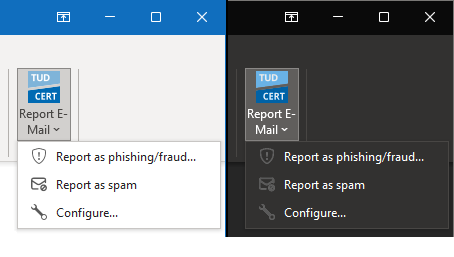
By default, The plugin is activated for all mailboxes at TU Dresden. For details please consult our installation and operating instructions.
Mozilla Thunderbird
Our phishing reporting plugin for Mozilla Thunderbird adds a report button to the message area, which can be used to report the currently displayed E-Mail directly to TUD-CERT.
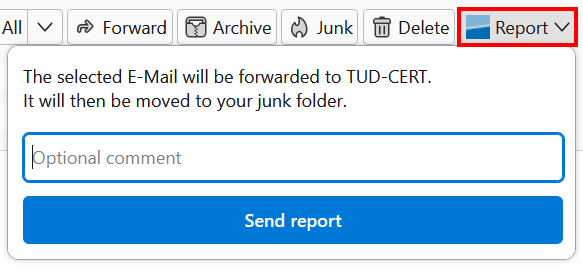
The plugin can be installed directly from Thunderbird via the official Mozilla Add-On Website. For details please consult our installation and operating instructions. The Thunderbird plugin is available under an open source license, further development can be tracked in the associated repository on GitHub.